
Synthetic product walkthrough · 10 September 2026
Compare the layout. Review the handoff.
A useful alternative should make its trade-offs clear before it changes the project. The final package should make unfinished work just as visible.
The roof and report screens below are separate authored QA examples, not one customer project. Test values illustrate the workflow; they do not establish customer savings, survey accuracy or a performance guarantee.
01 · Inspect the alternative
Keep the current design beside the proposal
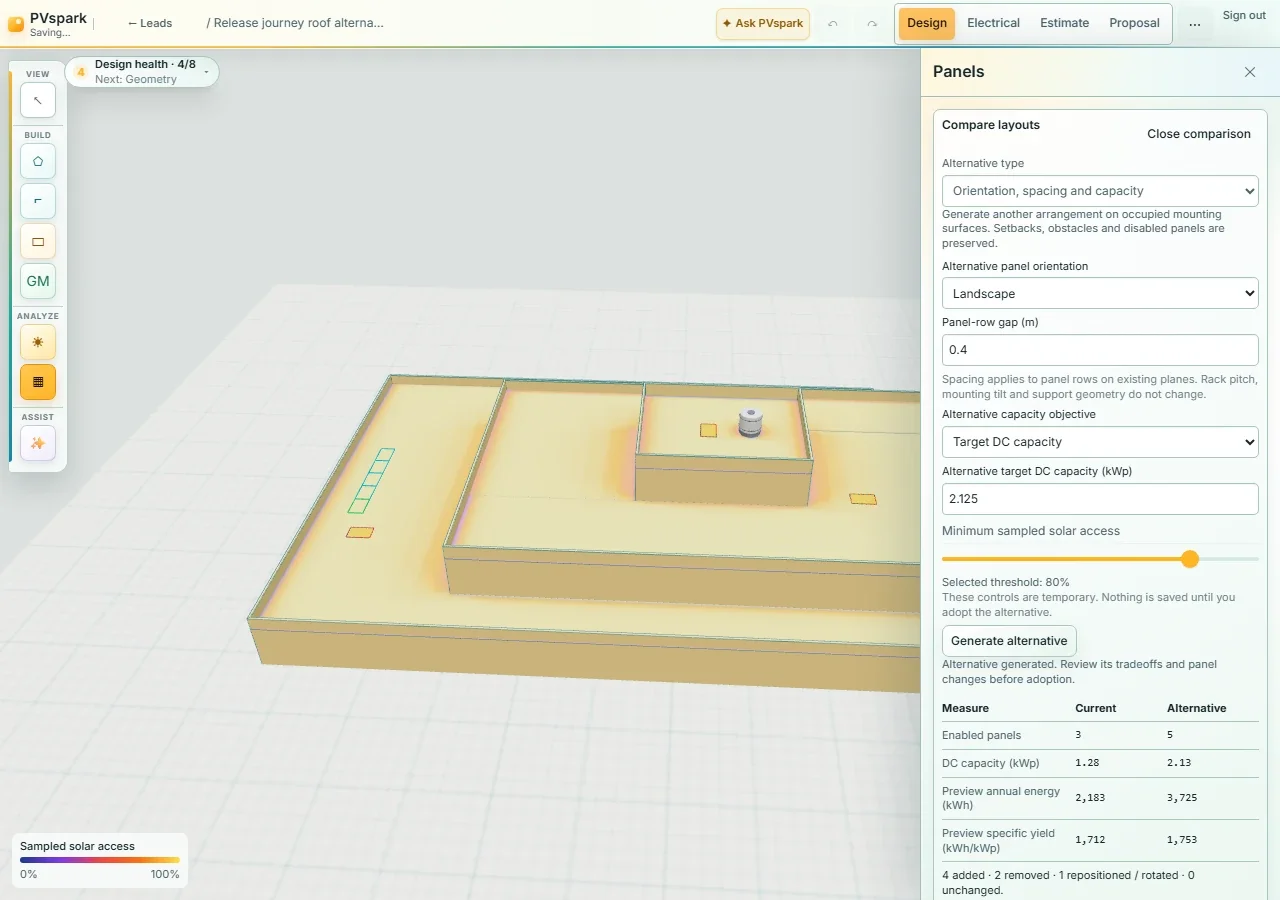
This multi-level roof example compares the current arrangement with a landscape alternative, a 0.4 m panel-row gap and a target capacity. Generation previews the alternative without saving it to the project.
The recorded comparison shows three current panels and five proposed panels. Review orientation, spacing, capacity and the shared shade evidence together. A requested capacity is a constraint to explore, not a guarantee that the site can accommodate it.
Read the energy basis: the displayed energy estimate is an approximate monthly-model layout preview. It is not authoritative SSC simulation output or guaranteed annual production.
 View full-size screenshot
 02 · Make the decision explicit
Adopt only after reviewing the changes
Inspect the panel additions, removals and repositioning before adoption. When a changed layout has electrical work, review the required electrical reset as part of that decision.
In this synthetic replay, adoption produces five enabled panels in one undo action. Undo and redo restore the arrangement, and saving and reopening retains the adopted layout. The temporary comparison is cleared.
This checks the recorded browser-storage workflow. Site measurements, constructability and electrical review remain separate responsibilities.
03 · Inspect what the package still needs
Missing outputs stay visible
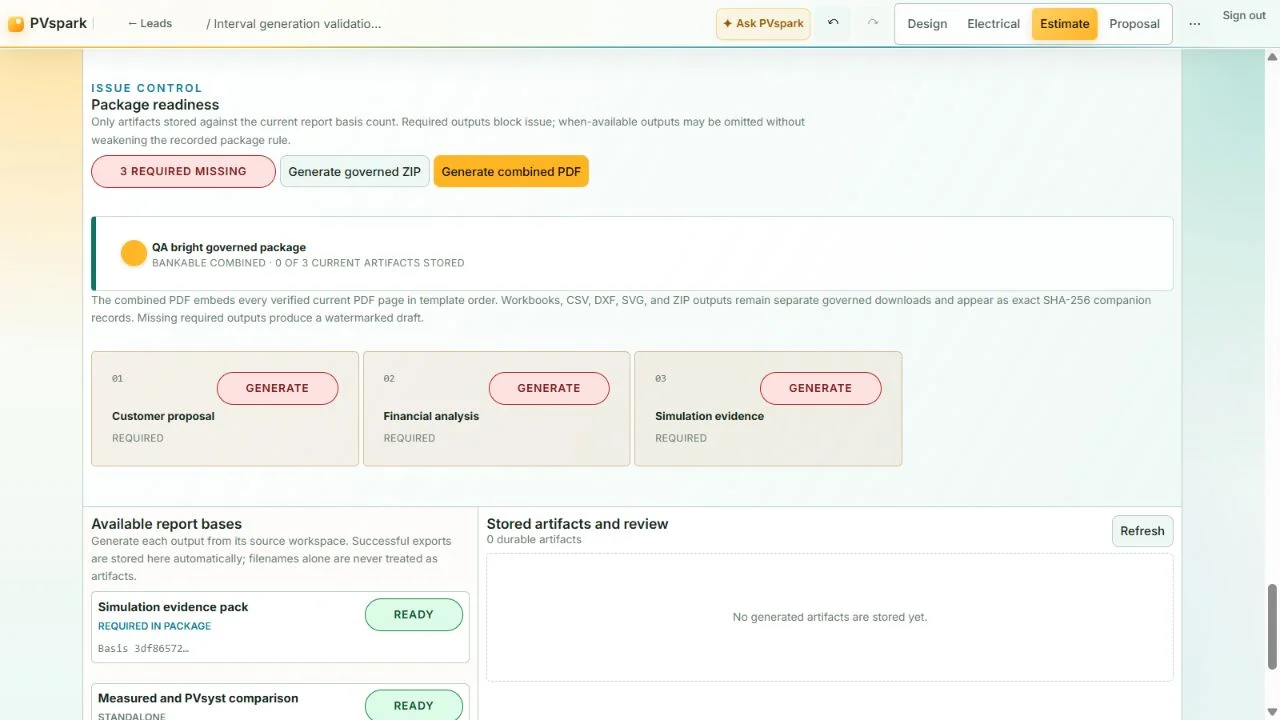
In this separate package example, the customer proposal, financial analysis and simulation evidence are required but missing. The readiness screen shows that state before generation.
A combined PDF with missing required outputs is a watermarked draft. Workbooks and CAD or other companion files remain separate downloads; they are not silently converted into PDF pages.
The screenshot's package label does not establish bankability or approval. Review the current project basis, required outputs and independent professional acceptance before issuing work.
 View full-size screenshot
 See PVspark in action
Walk through your team's layout decision
Request a demo focused on the project choice and handoff you need to review.