
pvspark
How PVspark onboarding works for solar teams
How installer and EPC teams evaluate PVspark, define an onboarding scope, prepare their project workflow, and move into day-to-day product use.
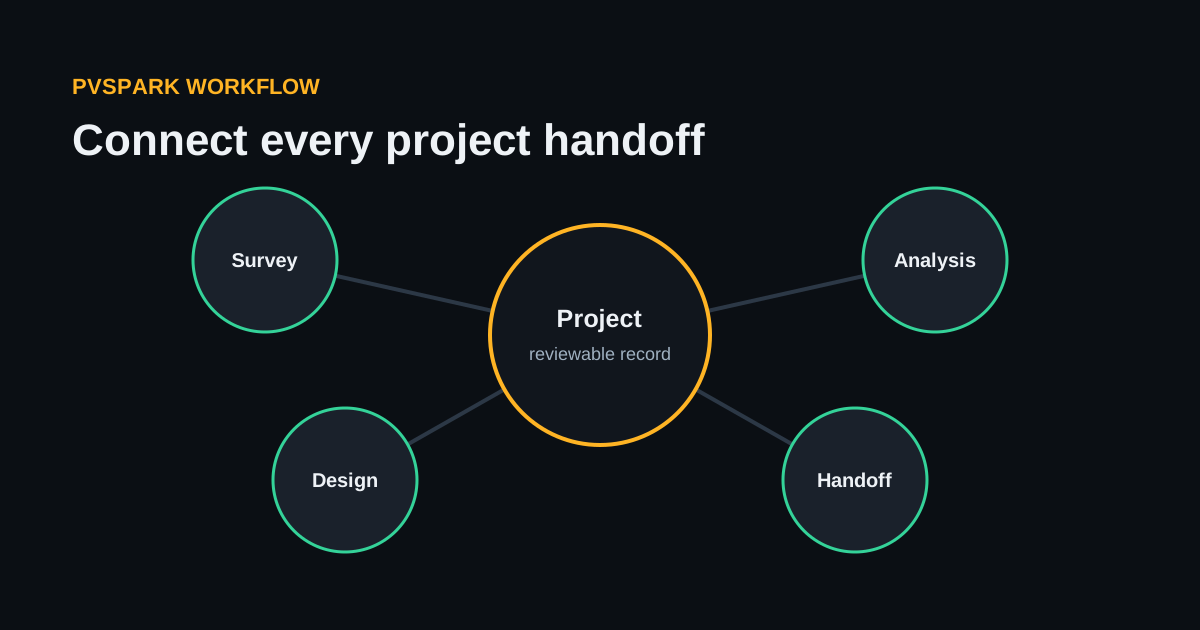
PVspark connects solar opportunities, site evidence, designs, analysis, proposals, engineering outputs, and team handoffs in one project workspace. Onboarding begins with the way your team already delivers projects, then maps PVspark to the roles, evidence, and review boundaries that matter.
A product demonstration is the simplest first step. It lets your team follow the most relevant PVspark workflow with clearly labelled synthetic data before discussing access, onboarding, support, and commercial fit.
What PVspark is designed to connect
PVspark brings customer and project records, site surveys, rooftop and ground-mount design, electrical work, energy and tariff analysis, pricing, proposals, reports, and team coordination into a connected operating path.
Available workflows can depend on project type, configured providers, data readiness, and the operating boundaries agreed with your team. The onboarding conversation confirms the applicable scope before live project use.
Generated designs, estimates, diagrams, bills of material, and reports aid professional work. They do not replace site verification, applicable codes, manufacturer instructions, utility requirements, or qualified engineering judgement.
Start with the workflow, not a feature checklist
The strongest starting point is a repeated handoff with a clear owner. That may be lead-to-project conversion, survey-to-design readiness, design-to-electrical work, tariff and financial review, proposal production, or final project handover.
During discovery, the team maps:
- who owns the work before and after the handoff;
- which facts, files, assumptions, and approvals must move with it;
- which specialist tools and exports should remain in place;
- which data is appropriate for the hosted service;
- what access, support, and review boundaries are required.
This keeps onboarding grounded in day-to-day work instead of asking every role to change at once.
A practical onboarding path
- See the relevant workflow. A focused demo uses synthetic project data to answer product and implementation questions.
- Confirm fit and scope. PVspark and your team identify applicable workflows, roles, data boundaries, support needs, and commercial terms.
- Configure the organization. Account administrators, team membership, permissions, and the initial operating path are set up deliberately.
- Learn with synthetic data. The working team becomes familiar with the workflow before introducing appropriate live project information.
- Move into live project work. Your team applies its professional review, security, and data-handling responsibilities while using PVspark within the agreed operating scope.
- Extend when the workflow is ready. Additional roles and project stages can be brought into the connected record without discarding specialist tools that still serve the team.
What remains with your team
Protect accounts, invite authorized users only, use lawful and appropriate project data, and keep site, structural, electrical, regulatory, energy, and commercial decisions with the qualified people responsible for them.
PVspark makes evidence, assumptions, revisions, permissions, and guided actions more visible. It does not turn incomplete inputs into verified facts or remove the need for accountable professional review.
Discuss access and commercial fit
Pricing, onboarding, support, access, data practices, and commercial terms are discussed with each organization before live project use.
If your team has a specific solar workflow or handoff to improve, request a demonstration or talk to the PVspark team. Do not include customer designs, financial records, identity documents, credentials, or other sensitive project material in the public form.